Navy Glossy Sea Blue

Scale Model Addict - Model Tips, Guides, Tools & Tech, Tutorials, and Community

Help Support Scale Model Addict:

Holz44

Well-Known Member
Joined
Jun 8, 2025
Messages
209
City & State/Province
North Carolina
I'm doing a F6F Hellcat and the XF-17 paint of Sea Blue is WAY too dark, it's almost black. What's the best way to lighten it some? I'm assuming just add some white until I find the right shade, BUT I figure you guys have all sorts of mix remedies in your collective knowledge.
What are your suggestions???
Thanks
 
When I built my Corsair I added a little xf 2 white xf 8 blue. It was still to dark. I needed more white I think. So I can't give you great proportions. But Vallejo actually has a glossy sea blue in their Air series. I recommend that. I really like that line of paints. They have pretty much every color I've ever needed without mixing. I used them for the four greys on my f 16.
 
Last edited:
I'd not add white, try some tan with a lighter blue. Generally speaking do not use white/black for tinting, too extreme.

That said, I think the hyper-dark blue is technically correct. I also agree it looks off. I think the darkness and the shine wore off rather quickly once at sea.
 
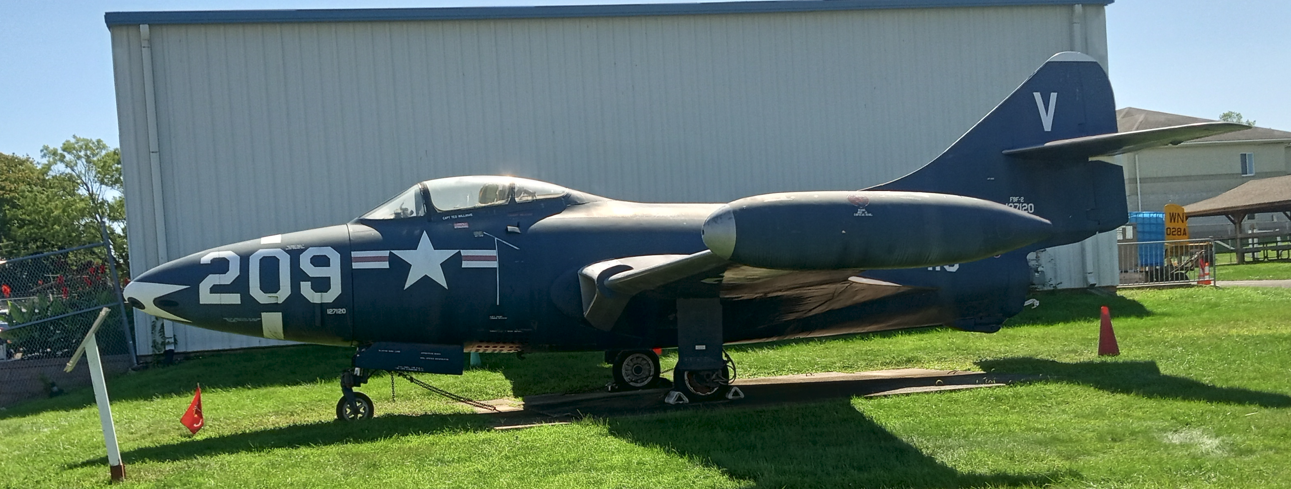
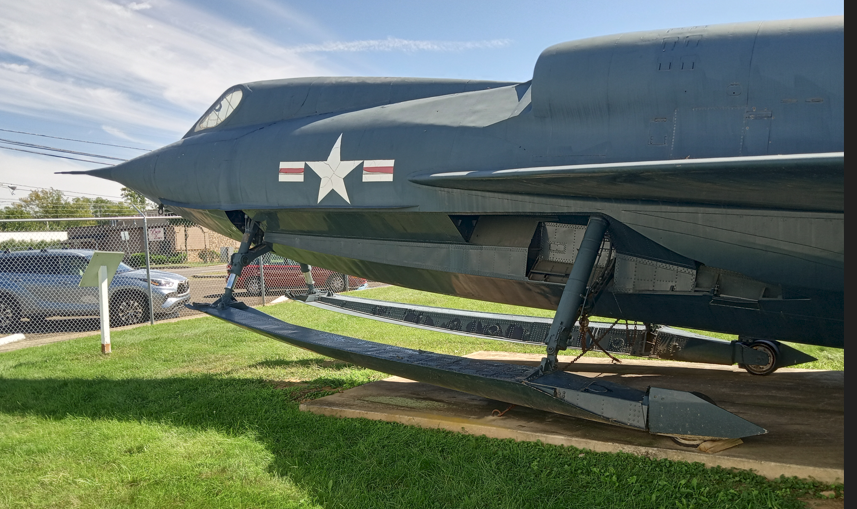
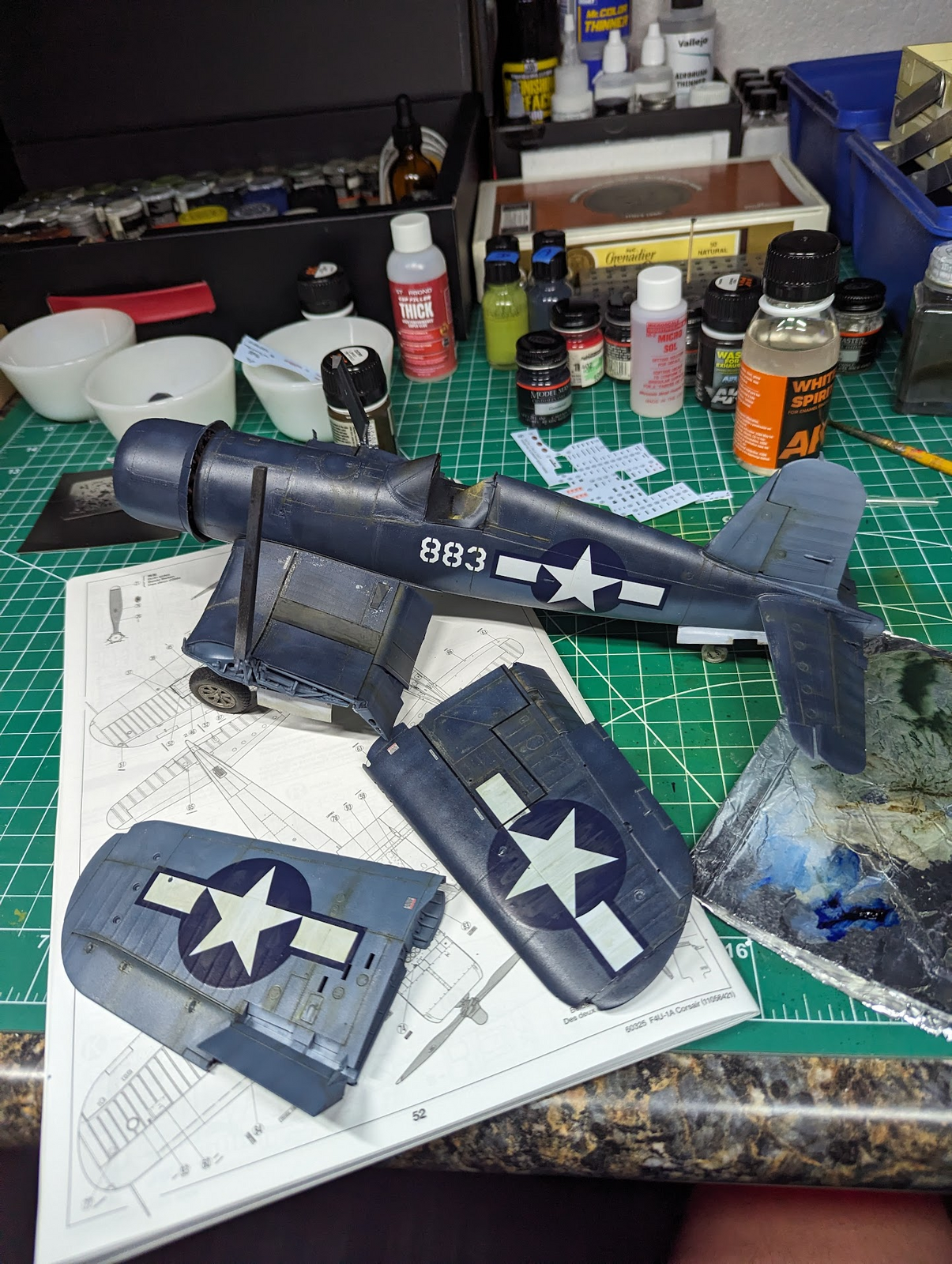
That Glossy Sea Blue really is very dark and black looking in some lights

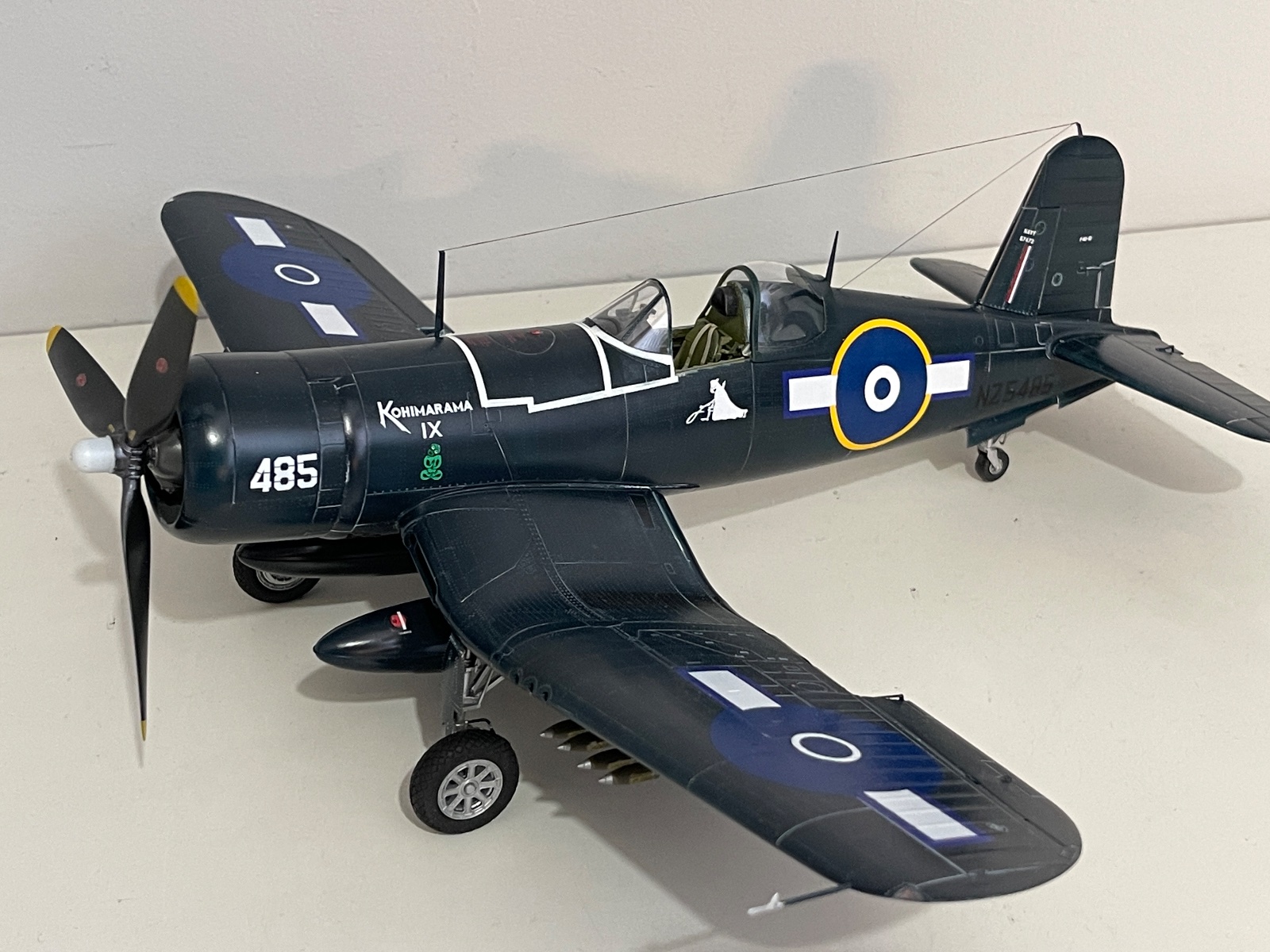
These things have been sitting there for years baking in the sun, and I am sure has faded a bit, but even then is still quite dark

1767832412410.png

1767832502338.png


The Vallejo Glossy Sea Blue over a light grey or white base I think is a great choice

Tamiya XF-17 is also a good choice if you prefer Tamiya, put I like to add a little bit of a bright blue/light grey to the Tamiya paint for highlights

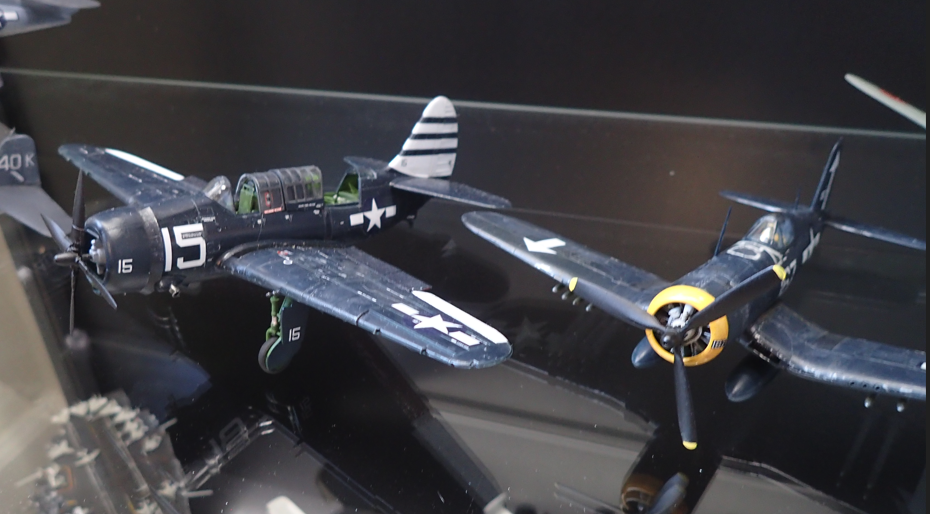
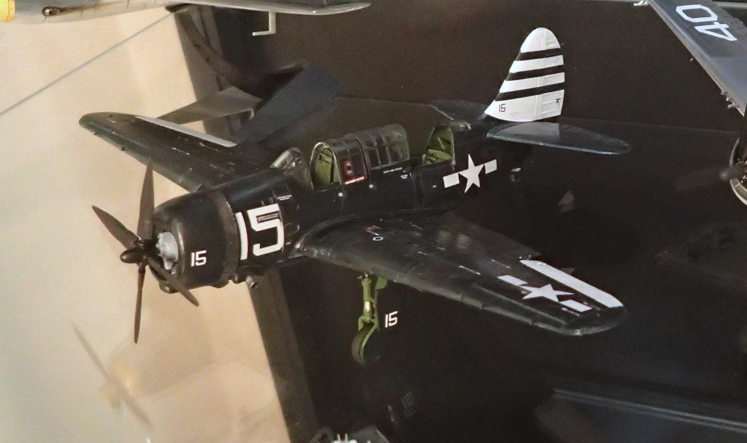
these two were done with the Vallejo Model Air Glossy Sea Blue straight from the bottle, then given a very light sludge style panel washing with some light grey, almost white, oil paints for some tonal variations

and to demonstrate the way the paint shifts from blue to black depending on lighting, this is with a cool white light, it looks more blue

1767832790961.png


and a warm white, looks much more black

1767833067860.png
 
That's not too surprising, when you think about it: what your camera captures is the light that reflects off the model, so if you shine a different colour light on it, a different colour will also reflect off it.

What's more surprising is the difference the background makes when you're taking digital photographs. Photograph the same model against a while, a blue or a black background (with the exact same lighting, camera, model position etc.) and you'll get a different coloured model in the pictures.
 
As an Amazon Associate we earn from qualifying purchases. Product prices and availability are accurate as of the date/time indicated and are subject to change.
Thanks to everyone for all the replies and suggestions. I'm sticking with Tamiya paints and will be mixing up a blend shortly. I'll let y'all know what i
I did and how it turns out.
 
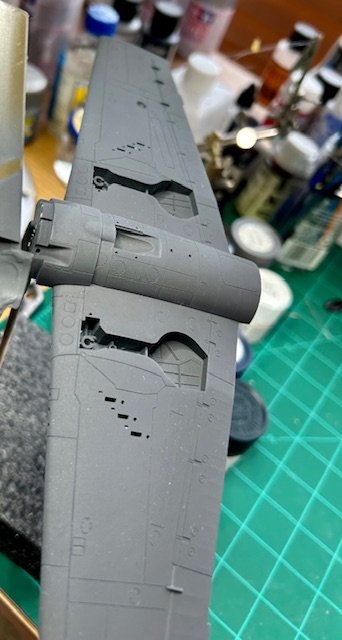
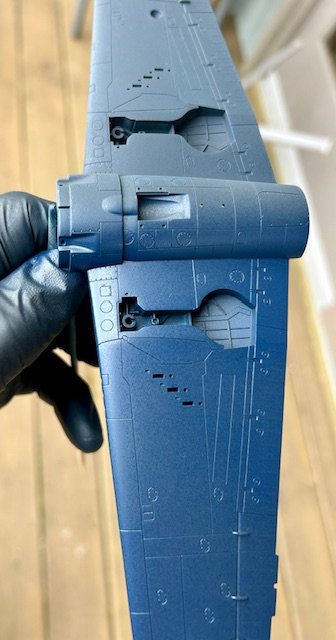
Well, I tried to add some Royal Blue (X-3) to the Sea Blue (XF-17) to lighten it and it only got darker, sort of grey/blue. So I added some Buff (XF-57) to lighten but no luck. I think it would have taken too much paint to get it to a color I was happy with. Plus my mixing cup was getting pretty full! It ended up looking very dark grey/blue/blackish. GBB #1 we'll call it.
Started over with Royal Blue as a core color then added some of my new GBB #1 to darken it some. Kept adding small amounts until I got a color I was happy with and resprayed the model. I can live with it and move on with the build.
Now I just need to build something German that requires A BUNCH of dark grey tones to use up my GBB #1 !!!
Had fun.
 

Attachments

  • IMG_2071.jpg
    IMG_2071.jpg
    43.1 KB
  • IMG_2073.jpg
    IMG_2073.jpg
    40.3 KB

Latest posts

Back
Top